

Xming Russian localization
Russian localization for XMING projectors
The Chinese menu should not interfere with the use of its projector. ProjectQ translates the home screen and settings in the supported adaptation, keeping the factory OS. Let's start with the exact model and firmware.
Maintaining the native operating system
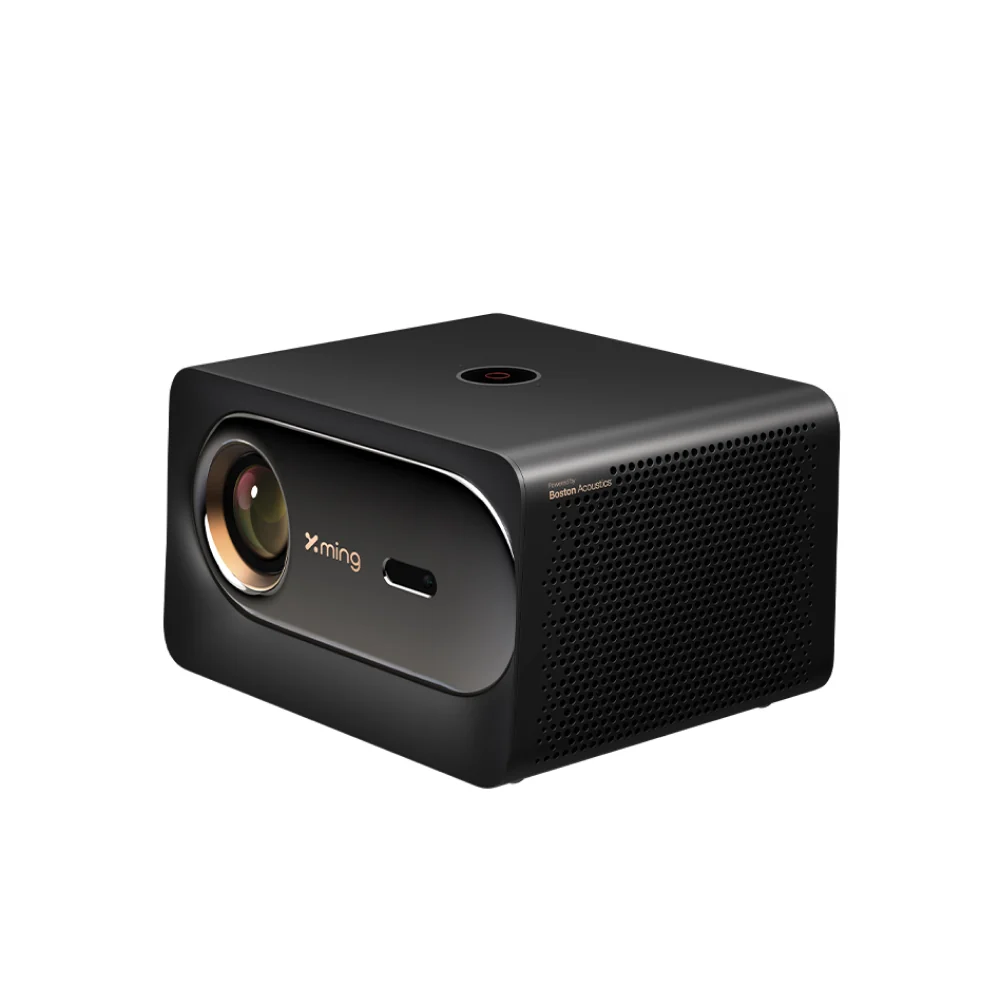
In a language you understand.
A result we agree on in advance
Russian localization goes beyond a new home screen
The supported adaptation makes the projector’s home screen, menus and settings easy to understand. Our own ProjectQ system adds everyday convenience to the translation.
How Russian localization differs from firmware replacementHome screen and settings
We translate supported system menus, including more than just tile labels.
Apps, appearance and voice features
Available features are selected for your model and firmware.
Original operating system
We add a model-specific adaptation and our own software while preserving the factory system.
The projector itself becomes clear.
Choosing a source and adjusting the picture, sound and connections is easier when you can read the relevant options. Full ProjectQ localization covers the projector’s home screen, menus and settings.
Third-party apps follow their own rules. Their language, content catalog, video quality, accounts and subscriptions do not become part of the ProjectQ system.
For XMING the full designation is important
V1, V1 Ultra, V3 and other symbols cannot be combined in a similar corpus. You need the full name, region and version of the system.
The names XMING and Fengmi may appear in the description of the same device, but this does not allow transferring files between models. When checking, we rely on the information of the projector itself.
Together with the translation, the own system ProjectQ
Home screen, featured apps, design and available voice scripts help you use your device every day. Connecting to Yandex expands the capabilities of Alice and a compatible smart home.
We explain in advance what functions are available on your model: the microphone and remote, system menus and additional services depend on the firmware.
Save the native OS, check your version
We do not suggest downloading an unknown system image for a similar projector. A model adaptation is selected for ProjectQ and its own software is installed in addition to the original system.
The official manufacturer update and ProjectQ update solve different problems. If you are planning to update the firmware, first communicate its version to support.
The composition and cost are known before payment
The catalog shows current prices from the panel ProjectQ. For a model without a confirmed adaptation, there is no numerical price: first, we check the possibility of installation.
After approval, you receive instructions and installation wizard. One payment is for a single projector; recovery on the same device and further upgrades are included in the purchase. Video subscriptions are paid separately.
Models and prices
Xming localization: start with your model
The full designation and version of the system help to select the appropriate adaptation.
Previous Russian localization experience
Xming V1
We fully translate the home screen, menus and settings in the supported adaptation. We’ll check your firmware first.
from 3 000 ₽for Russian localization · one payment
V1 Russian localization Send a requestSeries illustrationWe’ll check compatibility
Xming V3
We fully translate the home screen, menus and settings in the supported adaptation. We’ll check your firmware first.
from 3 000 ₽for Russian localization · one payment
V3 Russian localization Send a requestSeries illustrationCompatible build available
Xming V1 Ultra
The home screen, menus and projector settings are fully in Russian.
5 000 ₽for Russian localization · one payment
V1 Ultra Russian localization Send a requestFrom request to installation
Clear steps, with support at every stage.
- 01
Submit a request
Enter your model and save the personal link for your installation.
- 02
Confirm your device
We’ll check the exact variant, firmware, available features and price.
- 03
Install at home
After confirmation and payment, get your personal installer and follow the wizard.
ProjectQ customer experiences
Real owners behind the results
Reviews of previous installations. Original dates and links are preserved; the current adaptation’s scope is checked separately.
The best russifier on the market!! Install it fast, it works great.
Author anonymized. Review migrated from a localization page.
I ordered firmware, everything went beautifully, on the appointed day and time, better and could not be, coped quickly, a good team, so keep it!
Author anonymized. Review migrated from a localization page.
Thanks to Egor’s professionalism, the projector’s restoration was quick and clear. Thank you very much.
Author anonymized. Review migrated from a localization page.
Is ProjectQ just a different launcher?
Nope. The main task ProjectQ - translation into Russian of the home screen, menu and device settings in the supported adaptation. The proprietary system adds Alice's apps, design, voice and capabilities. The exact composition is confirmed by model and firmware.
Should we replace the factory firmware?
To localize ProjectQ into Russian, you do not need to find and install an unknown system image. We preserve the factory operating system and add a model-specific adaptation and our software. Official manufacturer updates and localization serve different purposes.
What does “Fully in Russian” mean?
Home screen, menu and projector settings in Russian in supported model adaptation. The language of third-party applications depends on the applications themselves. Specific firmware and available features are checked before payment.
Can I check compatibility for free first?
Yeah. Leave a request, specify the full model and version of the system. For ready-made adaptation, we will specify the composition and price before payment. For a new device, we first check the possibility of installation.
PROJECTQ · IN YOUR LANGUAGE
Let's start with your device.
Chinese menu, incomprehensible setting or firmware question? Specify the exact model and suggest the next step.
Already purchased? Open your request — you don’t need to buy again to restore the same device.