

Home screen and settings
We translate supported system menus, including more than just tile labels.
ProjectQ · translation into English and device system
Translation of the home screen and settings is the foundation. Our own ProjectQ system adds apps, customization, supported voice features and help throughout your use of the device.
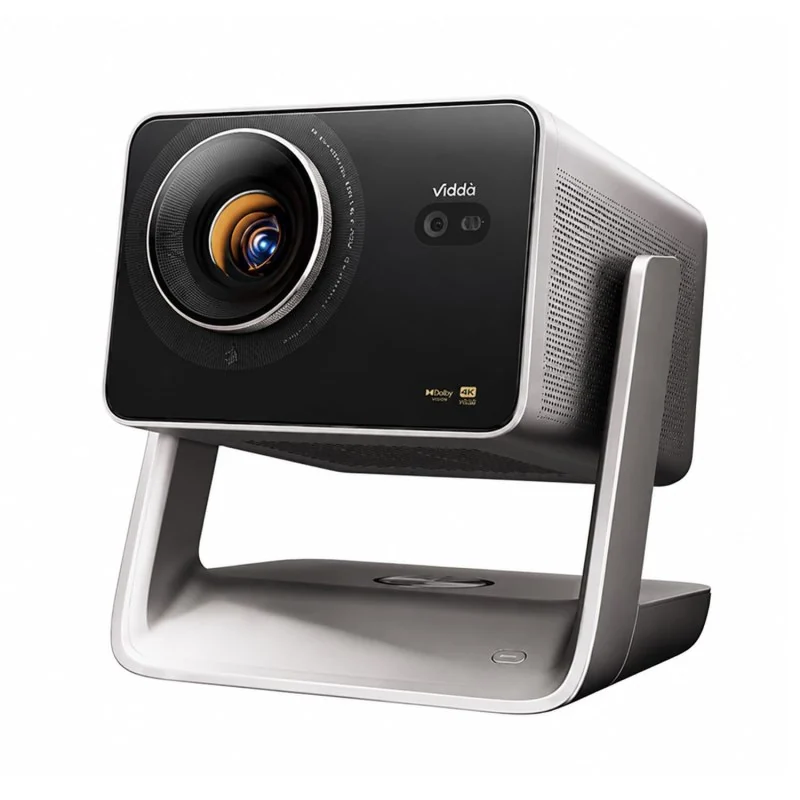
A result we agree on in advance
The supported adaptation makes the projector’s home screen, menus and settings easy to understand. Our own ProjectQ system adds everyday convenience to the translation.
How English localization differs from firmware replacementWe translate supported system menus, including more than just tile labels.
Available features are selected for your model and firmware.
We add a model-specific adaptation and our own software while preserving the factory system.
System features
Customize the image, sound and connections meaningfully. The translation of the home screen and system menus is checked for your model.
Work with device parameters in supported adaptation. Specific sections depend on the manufacturer and firmware.
The remote, settings, system functions and installation method depend on the actual device. The title of the series is just the beginning of the test.
From the definition of the model to the configuration of the system - successive steps with the verification of the result.
System features
Collect the usual ways of viewing on the home screen. The availability of content and subscriptions is determined by the services.
Recommendations and continuation of viewing help to quickly select the next movie when the source supports data transfer.
Choose applications for remote control and your tasks. System limitations of a particular model are taken into account during installation.
Collect the chosen and convenient order to get to the usual services from the remote.
Viewing local materials depends on the medium, format and available applications. ProjectQ helps to assemble the right tools nearby.
System features
Voice input, commands and assistant work with the remote, microphone and supported modes of your model.
Connecting to Yandex opens up supported Alice scenarios and compatible devices. You need your account and available integrations.
An on-screen keyboard and accessible voice input help you search for movies and work with apps.
Permissions are related to specific functions. You can understand why you need access before you issue it.
System features
Choose the design, wallpaper and order of blocks. Save a convenient theme so as not to adjust everything again.
Choose a convenient layout for movies, applications and everyday tasks.
Information blocks complement the home screen. The available sources and capabilities depend on the configuration of the system.
Profiles and personal settings help separate usage scenarios within the available ProjectQ configuration.
Choose the available screensaver design and screen behavior in your configuration.
Themes, layouts and visual settings help make the home screen your own.
System features
Updates ProjectQ and reset recovery on the same projector are included in the purchase. Manufacturer updates are a separate process.
Tell us at what stage the problem occurred. Prepare the model, version and text of the error - this will accelerate the subject analysis.
Diagnostics helps to separate application error, settings and installation. Remote verification capabilities depend on connectivity and consents.
In the supported configuration, tools for managing applications and their operation in the background are available.
Additional parameters are available within the capabilities of the model. Clear names do not replace caution when changing system functions.
Discuss the use of ProjectQ and get help through available channels. For personal data, use your application.
PROJECTQ · IN YOUR LANGUAGE
Start with a free request. We’ll check the device, explain the English localization scope and confirm the price before payment.
Already purchased? Open your request — you don’t need to buy again to restore the same device.