

Updated 15 October 2026 year. We explain the current translation into English with our own system ProjectQ TV; the date of initial publication is saved.
A Chinese projector can show films beautifully yet remain difficult to use because of Chinese menu characters, unclear settings and unfamiliar apps. You need a projector you can understand in your own language. That is the problem ProjectQ localization solves.
How to get English on a Chinese projector
First, check the full model name, hardware variant and system version. Find the model in the catalogue, check what is translated and the price, then submit a request. The registration app will identify the device, and the team will confirm compatibility before payment. The wizard then guides you through installation at home on the projector.
translation into English and firmware: what is the difference
The firmware contains the operating system and components on which the hardware functions depend. Installation of another image replaces this basis. Coincidence of the name of the series does not guarantee compatibility with the hardware revision and the current version.
ProjectQ localization preserves the factory operating system. It adds a model-specific translation of the interface and settings, now alongside the ProjectQ TV system. There is no need to search for an unknown “English firmware” image and replace the original system with it.
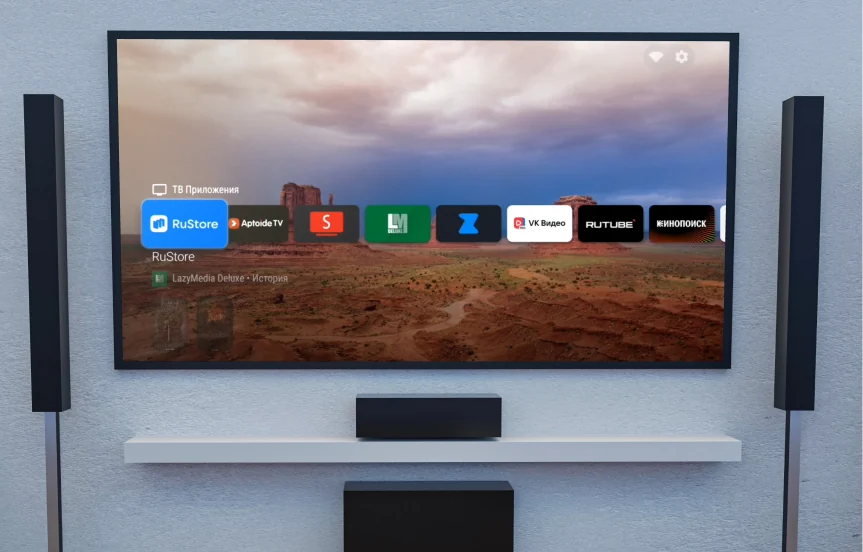
Now it is a complete system of translation into English.
The service used to combine translation with app setup. Today, the same method is complemented by our own ProjectQ software: a English home screen, model-specific settings, apps, a voice assistant, customization, updates and recovery. The launcher is the visible part of this system; the product’s purpose is to make the projector itself easy to use.
- English language home screen, menu and settings in the confirmed model profile.
- Voice control and voice input in compatible applications.
- Connect to Alice and supported smart home devices via Yandex account.
- Habitual apps, own store and home screen setup.
- One purchase, further upgrades and free recovery on the same projector.
Why the method is safer than installing an unknown image
We save the native OS and check the exact device before installing the prepared adaptation. This allows you to do without manually replacing the factory image with a file of unknown origin. If a third-party image is incompatible, you may lose some of the features or the ability to boot the device. Not every firmware is dangerous: the official manufacturer update for the exact model is a separate scenario.
A secure method does not mean the promise of no software errors. Follow the instructions, save access to the application and contact for support when stopping the stage. Update factory firmware pre-agreed for your adaptation.
How much translation will your projector receive?
The models and versions differ system menus and available adaptations. The catalogue shows the confirmed composition. “Fullly in English” means the home screen and all projector settings. The application language of third-party services is regulated by the applications themselves; their subscriptions, DRM and regional restrictions are not canceled by translation into English.
ProjectQ supports other languages, including English. Availability of translation of native settings of the selected language is confirmed for the exact model before payment.
How to establish translation into English
Have an internet connection on the projector, its original remote, a USB drive and a phone ready. Submit a request, save your personal link, open the registration app and confirm the device. After approval and payment, you will receive your personal installer. You do not need to connect the projector to a computer by cable or take it to a workshop; you can prepare the drive using a compatible phone.
Once reset on the same device, ProjectQ can be reset free of charge. The possibility and procedure for recovery are described in the personal account and instructions. Do not install a package from another model on the same similarity of the name.