

ProjectQ · Lenovo
Lenovo Xiaoxin 100M Russian localization with ProjectQ TV
Lenovo Xiaoxin 100M: compatible ProjectQ builds are available. We will check your device and confirm the right version before payment.
Compatible builds available. Verification required
Price after compatibility checkWe’ll confirm compatibility first
We’ll check your exact variant and firmware. Scope and final price are confirmed before payment.
What changes after installation
Your familiar device, with features you understand.
Check the translation of the menu and settings for your modification before payment.
A language you understand
Home screen and supported projector settings.
Our own system
Apps, customization and easy navigation with your remote.
Voice features and integrations
Features supported by your device and services.
Support included with your purchase
Updates and recovery on the same projector.
Variants and versions from the ProjectQ registry
- Android 12Leng.houmk.20250704.112419I need a check.
Assigning a build does not replace checking the exact firmware before installation.
Your exact device variant
What to check for Xiaoxin 100M
- Provide the full model name and the details from “About device”. They help identify the hardware variant and the appropriate installation method.
- ProjectQ keeps the factory operating system and adds its own home screen and an adaptation of the supported projector settings.
Available compatible builds do not replace checking the exact model before installation. Voice features, apps and streaming services depend on the device and the services themselves.
Where to find your model and firmware- Projector
- Lenovo Xiaoxin 100M
- Installation
- Compatible builds available. Verification required
- Operating system
- Factory system preserved
- Translation
- We will confirm the composition by your firmware
From request to installation
Clear steps, with support at every stage.
- 01
Submit a request
Enter your model and save the personal link for your installation.
- 02
Confirm your device
We’ll check the exact variant, firmware, available features and price.
- 03
Install at home
After confirmation and payment, get your personal installer and follow the wizard.
If you were looking for Russian firmware
You can start without replacing the system
ProjectQ preserves the factory OS and adds a model-specific adaptation and our own software. Do not choose an unknown file just because its device name looks similar.
Compare the methodsProjectQ customer experiences
Real owners behind the results
Reviews of previous installations. Original dates and links are preserved; the current adaptation’s scope is checked separately.
A team of professionals, clearly and harmoniously worked out technical support on the issue of translation into Russian and software installation, in the future there is a back-to-back connection through an active forum. I'll put a solid 5 of 5
Author anonymized. Review migrated from a localization page.
I use a projector for years, just excellent quality, no problems. The child accidentally reset the translation into Russian setting, contacted technical support, the guys as quickly as possible (immediately) dealt with my problem and eliminated everything.
Author anonymized. Review migrated from a localization page.
Ordering a translation into Russian projector. Everything was done quickly, qualitatively and clearly explained the process. After setting up the main programs and part of the menu in Russian, everything works without problems. Special thanks for the promptness and consultation on emerging issues. I recommend it!
Author anonymized. Review migrated from a localization page.
What does “Fully in Russian” mean?
The projector’s home screen, menus and settings in the supported adaptation. Third-party apps control their own languages.
Do I need to pay again after a reset?
Your purchase includes restoring ProjectQ on the same device. Save your personal link; you don’t need a new purchase for recovery.
What if my firmware isn’t listed yet?
We’ll check installation compatibility first. A model’s presence in the catalog does not mean every firmware version has been checked. We confirm scope and cost before payment.
Models and prices
Other Lenovo models
Check the full model name: similar names do not make firmware files interchangeable.
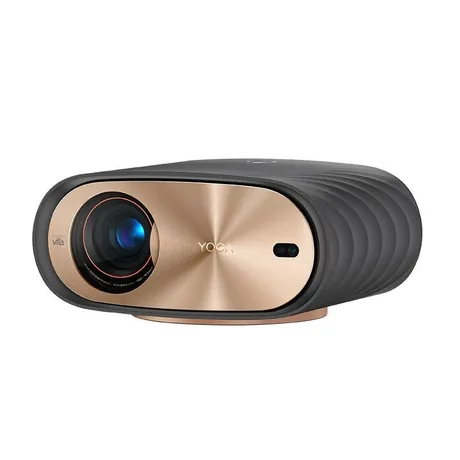
Previous Russian localization experience
Lenovo Yoga 7000
Check the translation of the menu and settings for your modification before payment.
from 3 000 ₽for Russian localization · one payment
Yoga 7000 localization into Russian Send a requestSee how it works
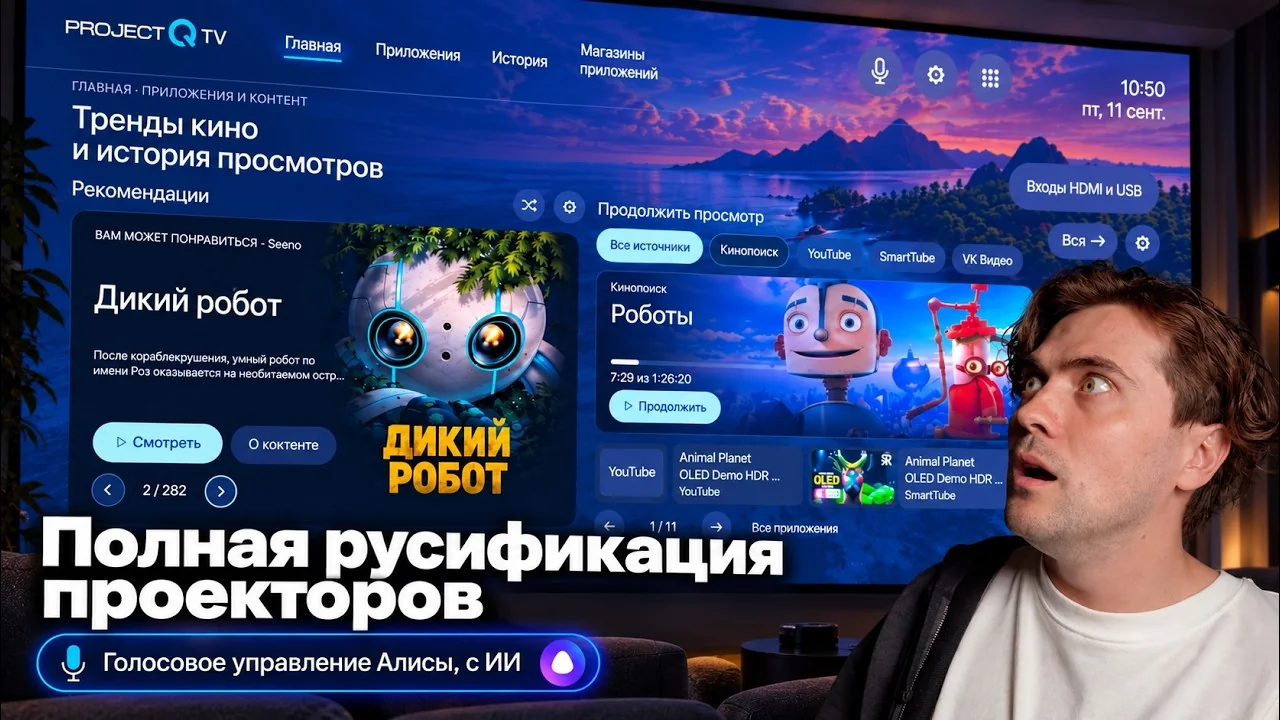
Beta version overviewRussian localization in action.
See it all on screen.
See ProjectQ TV on VIDDA, Formovie and JMGO projectors: from installation and Russian settings to voice control and Alice.
Video in Russian · 37 minutes
PROJECTQ · IN YOUR LANGUAGE
Your Xiaoxin 100M, in a language you understand
Start with a free request. We’ll check the device, explain the English localization scope and confirm the price before payment.
Already purchased? Open your request — you don’t need to buy again to restore the same device.