

ProjectQ · XGIMI
XGIMI X50 Ultra Max English localization with ProjectQ TV
XGIMI X50 Ultra Max: we first identify the exact variant, then confirm the translation coverage and installation method. You don’t need to search for an unknown “English firmware” to get a menu you can understand.
We’ll check compatibility
Price after compatibility checkWe’ll confirm compatibility first
We’ll check your exact variant and firmware. Scope and final price are confirmed before payment.
What changes after installation
Your familiar device, with features you understand.
We fully translate the home screen, menus and settings in the supported adaptation. We’ll check your firmware first.
A language you understand
Home screen and supported projector settings.
Our own system
Apps, customization and easy navigation with your remote.
Voice features and integrations
Features supported by your device and services.
Support included with your purchase
Updates and recovery on the same projector.
Your exact device variant
What to check for X50 Ultra Max
- We need the full X50 Ultra Max model name and system version to choose the right adaptation. Do not install a file for another model just because its name or housing looks similar.
- English localization aims to make the home screen, menus and device settings understandable. Apps, voice features and Alice integration are assessed against your model and firmware’s capabilities.
The X50 Ultra Max listing helps us check your device; it does not mean every firmware version is already supported. Third-party apps determine their own language, subscriptions and DRM restrictions.
Where to find your model and firmware- Projector
- XGIMI X50 Ultra Max
- Installation
- We’ll check compatibility
- Operating system
- Factory system preserved
- Translation
- Home screen, menus and settings in the supported adaptation
From request to installation
Clear steps, with support at every stage.
- 01
Submit a request
Enter your model and save the personal link for your installation.
- 02
Confirm your device
We’ll check the exact variant, firmware, available features and price.
- 03
Install at home
After confirmation and payment, get your personal installer and follow the wizard.
If you were looking for English firmware
You can start without replacing the system
ProjectQ preserves the factory OS and adds a model-specific adaptation and our own software. Do not choose an unknown file just because its device name looks similar.
Compare the methodsWhat does “Fully in English” mean?
The projector’s home screen, menus and settings in the supported adaptation. Third-party apps control their own languages.
Do I need to pay again after a reset?
Your purchase includes restoring ProjectQ on the same device. Save your personal link; you don’t need a new purchase for recovery.
What if my firmware isn’t listed yet?
We’ll check installation compatibility first. A model’s presence in the catalog does not mean every firmware version has been checked. We confirm scope and cost before payment.
Models and prices
Other XGIMI models
Check the full model name: similar names do not make firmware files interchangeable.
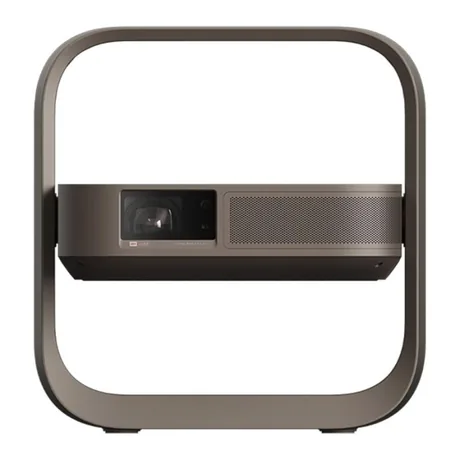
Previous English localization experience
XGIMI Z9X
We fully translate the home screen, menus and settings in the supported adaptation. We’ll check your firmware first.
from 3 000 ₽for English localization · one payment
Z9X English localization Send a request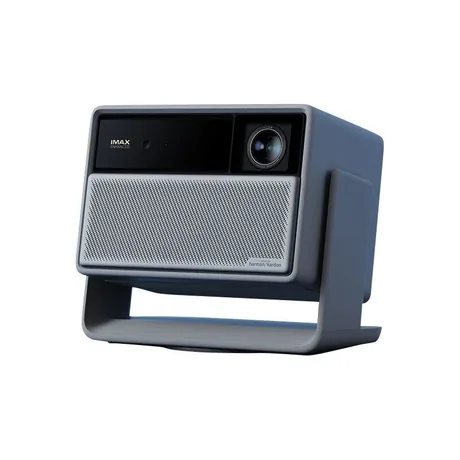
Compatible build available
XGIMI RS20 Plus
The home screen, menus and projector settings are fully in English.
5 000 ₽for English localization · one payment
RS20 Plus English localization Send a requestSeries illustrationWe’ll check compatibility
XGIMI RS20 Pro Max
We fully translate the home screen, menus and settings in the supported adaptation. We’ll check your firmware first.
from 3 000 ₽for English localization · one payment
RS20 Pro Max English localization Send a requestPROJECTQ · IN YOUR LANGUAGE
Your X50 Ultra Max, in a language you understand
Start with a free request. We’ll check the device, explain the English localization scope and confirm the price before payment.
Already purchased? Open your request — you don’t need to buy again to restore the same device.