

ProjectQ · JMGO
JMGO X1 Russian localization with ProjectQ TV
JMGO X1: we first identify the exact variant, then confirm the translation coverage and installation method. You don’t need to search for an unknown “Russian firmware” to get a menu you can understand.
We’ll check compatibility
Price after compatibility checkWe’ll confirm compatibility first
We’ll check your exact variant and firmware. Scope and final price are confirmed before payment.
What changes after installation
Your familiar device, with features you understand.
We fully translate the home screen, menus and settings in the supported adaptation. We’ll check your firmware first.
A language you understand
Home screen and supported projector settings.
Our own system
Apps, customization and easy navigation with your remote.
Voice features and integrations
Features supported by your device and services.
Support included with your purchase
Updates and recovery on the same projector.
Your exact device variant
What to check for X1
- We need the full X1 model name and system version to choose the right adaptation. Do not install a file for another model just because its name or housing looks similar.
- Russian localization aims to make the home screen, menus and device settings understandable. Apps, voice features and Alice integration are assessed against your model and firmware’s capabilities.
The X1 listing helps us check your device; it does not mean every firmware version is already supported. Third-party apps determine their own language, subscriptions and DRM restrictions.
Where to find your model and firmware- Projector
- JMGO X1
- Installation
- We’ll check compatibility
- Operating system
- Factory system preserved
- Translation
- Home screen, menus and settings in the supported adaptation
From request to installation
Clear steps, with support at every stage.
- 01
Submit a request
Enter your model and save the personal link for your installation.
- 02
Confirm your device
We’ll check the exact variant, firmware, available features and price.
- 03
Install at home
After confirmation and payment, get your personal installer and follow the wizard.
If you were looking for Russian firmware
You can start without replacing the system
ProjectQ preserves the factory OS and adds a model-specific adaptation and our own software. Do not choose an unknown file just because its device name looks similar.
Compare the methodsProjectQ customer experiences
Real owners behind the results
Reviews of previous installations. Original dates and links are preserved; the current adaptation’s scope is checked separately.
Thank you for translating my JMGO n5s ultra max projector into Russian!
Author anonymized. Review migrated from a localization page.
I ordered Russian localization for jmgo n5s ultra max. Everything went very well: quickly and as expected. The language was added and the apps installed. Everything works. Thank you!
Author anonymized. Review migrated from a localization page.
I ordered Russian localization for n5s ultra while in China. The Chinese internet made the process take much longer, but everything was done properly and works very well. I recommend them.
Author anonymized. Review migrated from a localization page.
What does “Fully in Russian” mean?
The projector’s home screen, menus and settings in the supported adaptation. Third-party apps control their own languages.
Do I need to pay again after a reset?
Your purchase includes restoring ProjectQ on the same device. Save your personal link; you don’t need a new purchase for recovery.
What if my firmware isn’t listed yet?
We’ll check installation compatibility first. A model’s presence in the catalog does not mean every firmware version has been checked. We confirm scope and cost before payment.
Models and prices
Other JMGO models
Check the full model name: similar names do not make firmware files interchangeable.
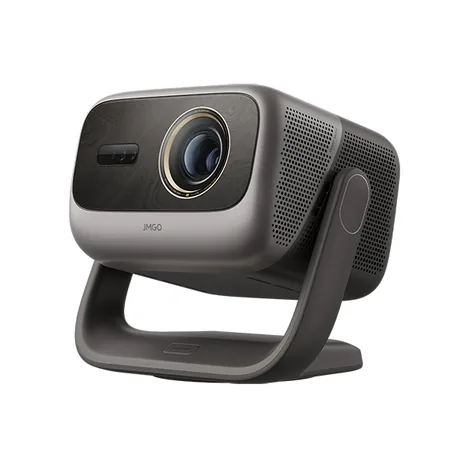
Compatible build available
JMGO N5S Ultra Max
The home screen, menus and projector settings are fully in Russian.
5 000 ₽for Russian localization · one payment
N5S Ultra Max Russian localization Send a request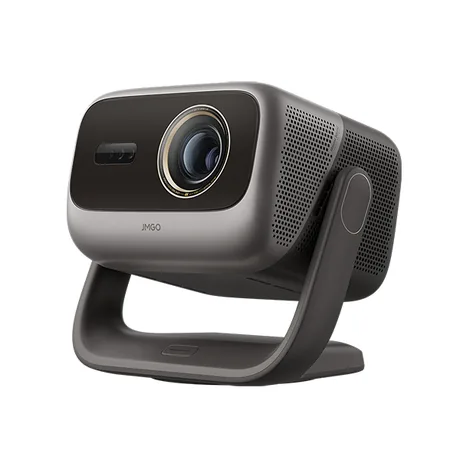
We’ll check compatibility
JMGO N5S Ultra
We fully translate the home screen, menus and settings in the supported adaptation. We’ll check your firmware first.
5 000 ₽for Russian localization · one payment
N5S Ultra Russian localization Send a request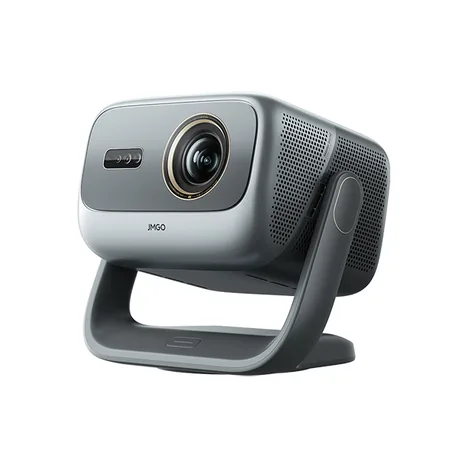
Compatible build available
JMGO N5S Pro Max
The home screen, menus and projector settings are fully in Russian.
5 000 ₽for Russian localization · one payment
N5S Pro Max Russian localization Send a requestPROJECTQ · IN YOUR LANGUAGE
Your X1, in a language you understand
Start with a free request. We’ll check the device, explain the English localization scope and confirm the price before payment.
Already purchased? Open your request — you don’t need to buy again to restore the same device.