

If your Lenovo Yoga 7000 remote or a remote for a Android TV device stops working, start with the batteries: check the charge and that they are inserted correctly. A faulty remote and a lost Bluetooth pairing require different solutions.
The screenshots and videos below are saved from the previous instructions. In the current ProjectQ, the names and location of the settings may differ; the pairing buttons depend on the remote model.
1 Get access to the interface
If the remote cannot control the device, connect a compatible USB mouse. You can use it to open menus and confirm actions.
2 Open the settings Android
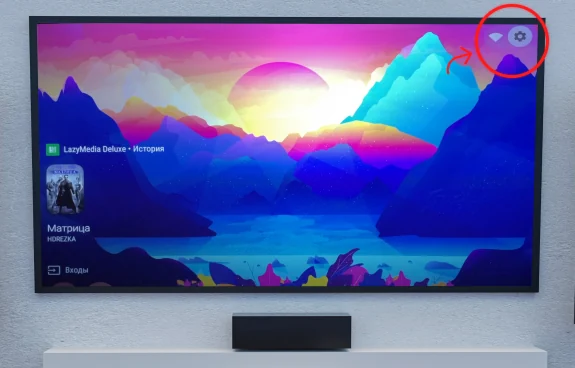
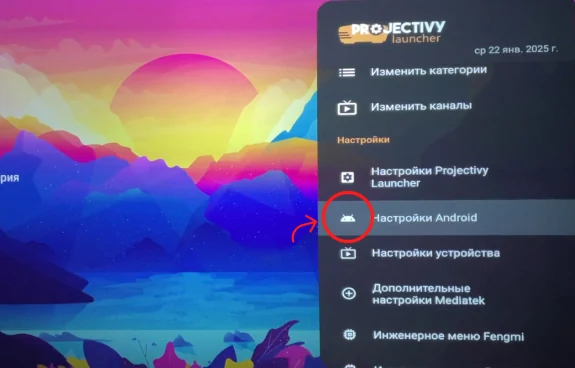
In the previous interface, the path is shown through the gear → settings Projectivy Launcher → Android Settings. In the current adaptation, use the transition to system settings available for your model.
3 Find remotes and accessories
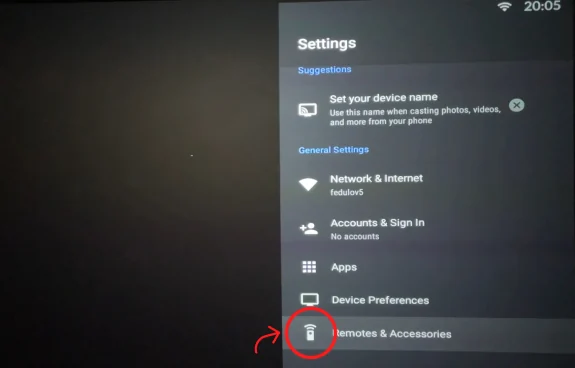
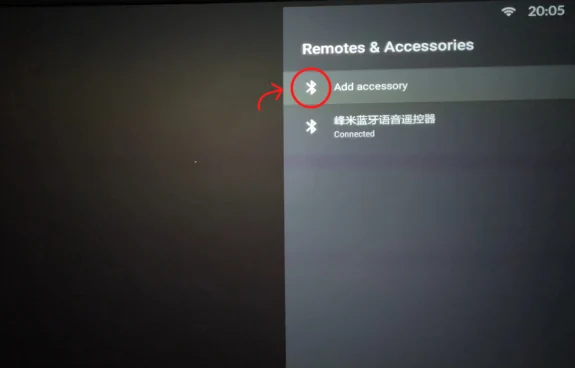
Open “Remotes and accessories” / Remotes and accessories. This is where Bluetooth pairing is performed.
4. Put the remote in pairing mode
For the remote Yoga 7000 shown in the original instruction, bring it to the projector by about 10 cm and hold Back and Confirm until the indicator flashes. For another remote, check the combination in its instructions.
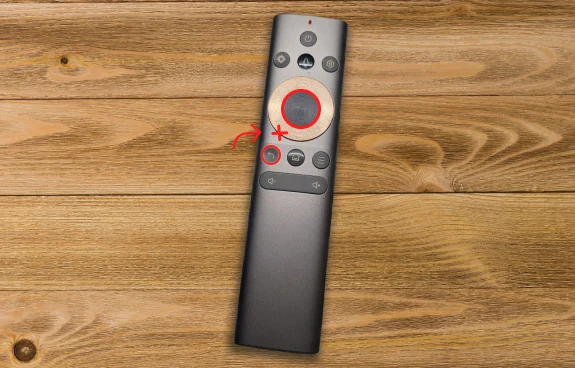
5. Add the detected remote
Select "Add Accessory" / Add accessories, wait for the remote to be detected and confirm the connection. Check arrows, confirmation and return.
If the connection does not take place
Specify the projector and remote model, the text of the message and the step where the problem occurred. The ProjectQ command will help check the appropriate order; a closed forum is available to projector or adaptation buyers.
Watch the video
Select the source to open the entry on the page. The video shows the interface at the time of publication.
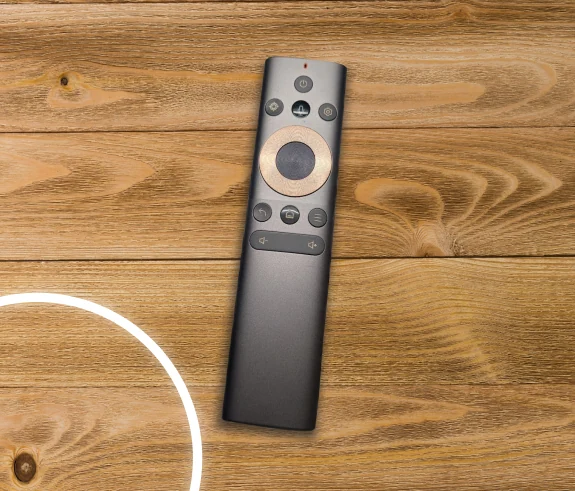
Press VK Video or YouTube to download the recording.
Open on set: VK Video